WooCommerce to Routific. Automated.
A WordPress plugin that connects WooCommerce to Routific. Orders land in Routific with the right delivery date, time window and service time, ready to be optimized into routes. Delivery status, driver and tracking link flow back into WooCommerce. Install directly in WordPress, configure in minutes. €199/year.
Buy now ·€199/yearRequires an active Routific account · 14-day money-back guarantee
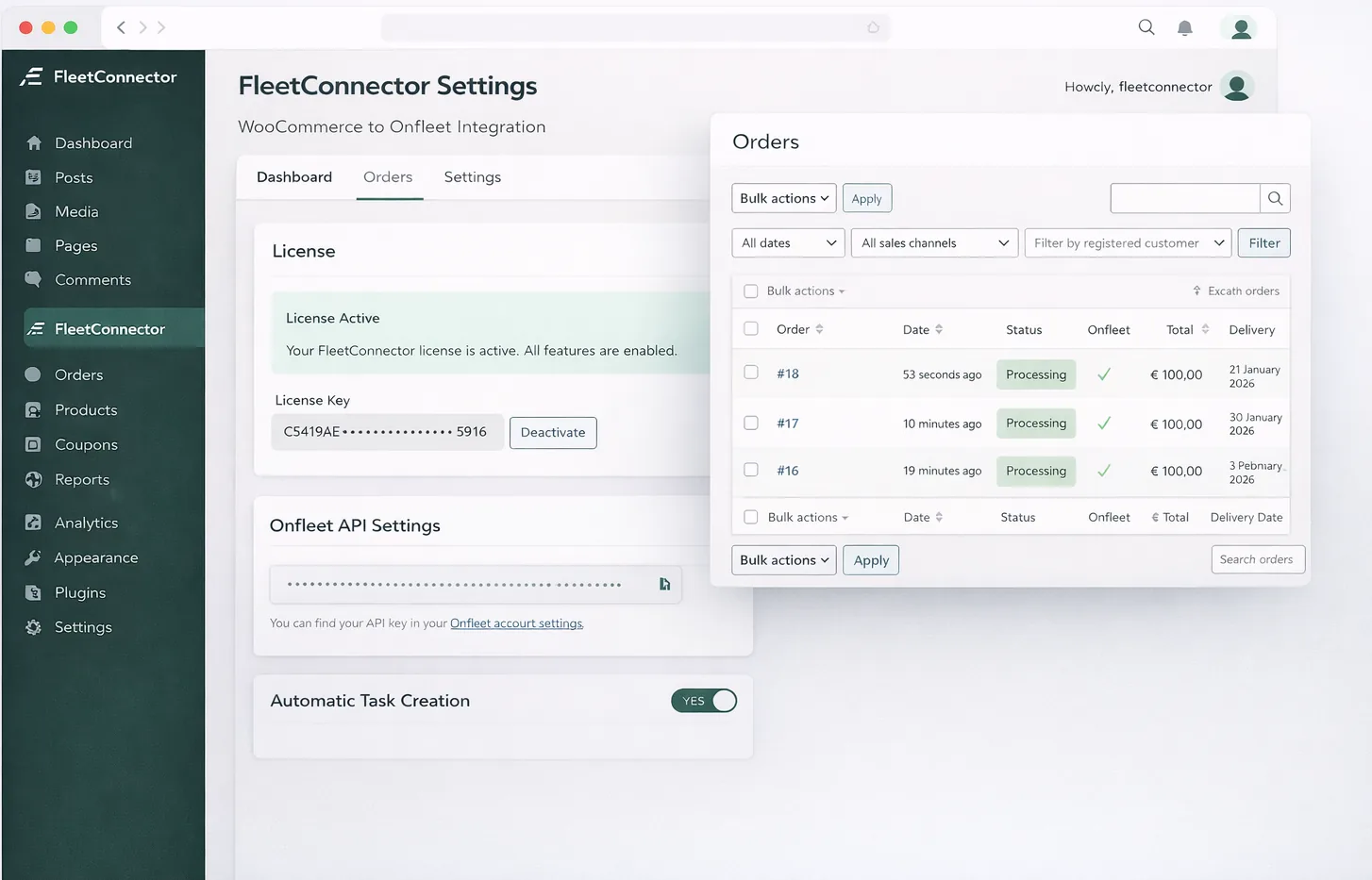
Everything you need to automate delivery dispatch
Order paid in WooCommerce → order in Routific, ready to plan. Instantly.
How it works
- When an order reaches one of your trigger statuses (by default Processing), it is sent to your Routific workspace in the background, so checkout is never slowed down.
- The order gets the address, the customer’s name, phone number and email, service time, load (number of items or weight), tags and driver instructions with the products and payment details.
- Temporary errors (rate limits, server errors) are retried automatically. A request that timed out is never sent again blindly, to prevent duplicates.
- Local pickup orders and orders without shippable products can be skipped.
Send hundreds of orders to Routific in one click.
How it works
- Select orders in the WooCommerce orders list and choose “Send to Routific” or “Update in Routific”.
- Orders are processed in the background. Orders that were already sent are skipped.
- Planning and optimizing the routes happens in Routific.
The customer's delivery date and time slot become the Routific delivery date and time window.
How it works
- Supports Order Delivery Date (Tyche), Iconic Delivery Slots, plugins that use a delivery_date field, or any custom field.
- “Detect from recent order” shows all fields of an order and marks the likely date and time slot fields, so you can pick the right one with one click.
- Dates like 10/03/2026 are read day-month or month-day, following the date format of your delivery date plugin or WordPress, or your own choice.
- Without a date, the next business day, tomorrow or today is used, or no date at all. The order shows why it got its date, and a date in the past is flagged in the activity log.
Delivered or missed? Driver, ETA and tracking link are added to the order automatically.
How it works
- Connect the Routific webhook and every update is verified with your signing secret.
- Delivered or missed: you choose the WooCommerce order status, and the missed reason and driver notes are saved.
- When a route is published, the driver, stop number and ETA are saved on the order. The Routific tracking link can be emailed to the customer.
Rentals and returns: a second Routific order collects the products again.
How it works
- Turn on a linked pickup per product or product category: a second Routific order (order number + “-P”) at the same address, a set number of days after the delivery or on the return date from your rental plugin.
- Routific has no order types, so the pickup is a normal stop. Its driver instructions start with “PICKUP” and list what to collect.
- The pickup follows every change of the order, also after the delivery, and is removed when no product needs it anymore.
- Webhooks update the delivery and the pickup separately. Choose whether the order gets its delivered status after the delivery or only after the pickup.
How it fits your Routific workflow
FleetConnector uses the official Routific Platform API. New orders appear in your Routific workspace on the right delivery date, so your dispatcher only has to optimize and publish routes. No CSV exports, no copy-pasting.
Orders appear in Routific with address, time window, service time and driver instructions.
Optimize routes in Routific as usual. Driver, stop number and ETA are saved on the WooCommerce order.
Signed webhooks mark orders delivered or missed and can complete the WooCommerce order automatically.
Why choose FleetConnector for WooCommerce Routific integration?
The most complete WooCommerce route planning integration for Routific
Save time on manual order entry
No more CSV uploads or copying orders into Routific. Every WooCommerce order becomes a Routific order with customer details, full address, phone number and driver instructions.
Plan with the right constraints
Delivery dates, time slots, service time per stop and load (items or weight) are sent along, so Routific can build realistic, optimized routes.
Scale your delivery operations
Process 10 orders or 10,000 orders per day with the same ease. Orders are sent in the background, so your checkout never slows down.
Delivery status in WooCommerce
Routific webhooks update the WooCommerce order when a delivery is completed or missed, including driver notes, and can email your customer the tracking link.
Changes sync automatically
Customer changed the address or the order? The Routific order is updated automatically, and cancelled orders can be removed from Routific.
Reliable error handling
Failed requests are retried automatically and listed in your dashboard. Retry with one click after fixing an address, so nothing gets lost.
How it works
Install the plugin, connect your API key, done. No external tools required.
Upload to WordPress
Upload the plugin via Plugins → Add New in your WordPress admin. Activate with one click.
Connect your Routific account
Paste your Routific API token in FleetConnector settings and choose your workspace. The plugin handles everything else.
Orders sync automatically
Every WooCommerce order becomes a Routific order, ready to be optimized. No manual work, no external services.
See the plugin in action
Simple, transparent pricing
One price. Unlimited orders. No hidden fees.
- Automatic order sync
- Bulk dispatch
- Manual task retry from dashboard
- Real-time updates
- Email support
- Updates included
14-day money-back guarantee · requires an active delivery-platform account
Frequently asked questions
FleetConnector works with the Routific route planning platform (the web app your dispatchers use to plan and publish routes). It connects through the official Routific Platform API using an API token from your Routific company settings.
Orders are added to your Routific workspace on the right delivery date, including time windows and service time. You then optimize and publish routes in Routific as you normally would, so you stay in control of your planning.
Yes. After adding the webhook URL in Routific, delivered and missed orders are updated in WooCommerce automatically, including driver, stop number, ETA, driver notes and the customer tracking link. You choose which WooCommerce order status to use.
Yes. Delivery dates and time slots from Order Delivery Date for WooCommerce, Iconic WooCommerce Delivery Slots and custom checkout fields are sent to Routific. You can also set a default time window and a fallback delivery date.
Yes. Per product or product category you can add a linked pickup: a second Routific order that collects the products again a set number of days after the delivery, or on the return date your rental or booking plugin stores on the order. Routific has no order types, so the pickup is a normal stop whose driver instructions start with “PICKUP”.
FleetConnector is a WordPress plugin that you install directly in your WordPress admin, just like any other plugin. It runs on your own server and connects directly to the Routific API. No Zapier, no middleman.
No. Upload the plugin, activate your license, paste your Routific API token, pick your workspace and you're done. Developers can customize everything with hooks and filters.
Yes. 14-day money back guarantee, no questions asked. If FleetConnector doesn't work for you, we'll refund you in full.
Why we built this
It started with a local delivery business we work with. Every morning, their team spent 1-2 hours copying WooCommerce orders into their delivery platform, field by field, order by order.
They tried Zapier. It worked, sometimes. Connections broke, orders got stuck, and at €30+/month they were paying for frustration.
So we built a proper plugin: a direct WooCommerce → delivery-platform sync, running on their own server, with no middleman. It worked, and their team got their mornings back.
FleetConnector is that plugin, now maintained and supported for any store dispatching deliveries through Onfleet, Spoke, Detrack, Routific or OptimoRoute.
A WordPress plugin, built and maintained in the Netherlands by Avuro (KvK 82137765). Runs on your server, talks directly to the delivery API. No third-party routing.
Don't have a Routific account yet?
You need a Routific account to use the FleetConnector plugin. Visit Routific to sign up and explore their route planning platform.
 Visit Routific
Ready to automate your deliveries?
Try risk-free with our 14-day money-back guarantee.
Buy now ·€199/yearNo questions asked refund policy